
How to Access a shared Mailbox Outlook Online
Outlook Browser
- Go to https://outlook.office.com/mail/
- Click the 3 dots next to your email address
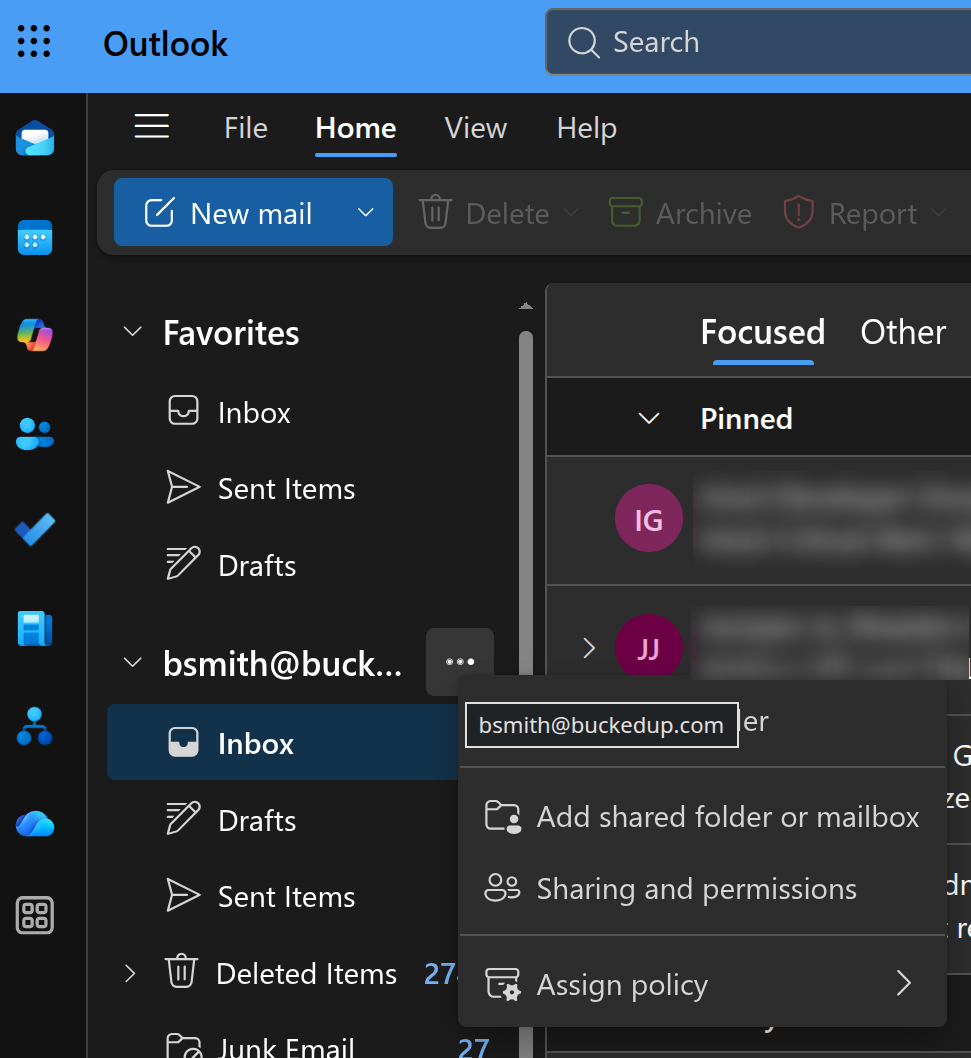
- Click Add shared folder or mailbox
- In the popup, start typing in the email address of the shared mailbox.
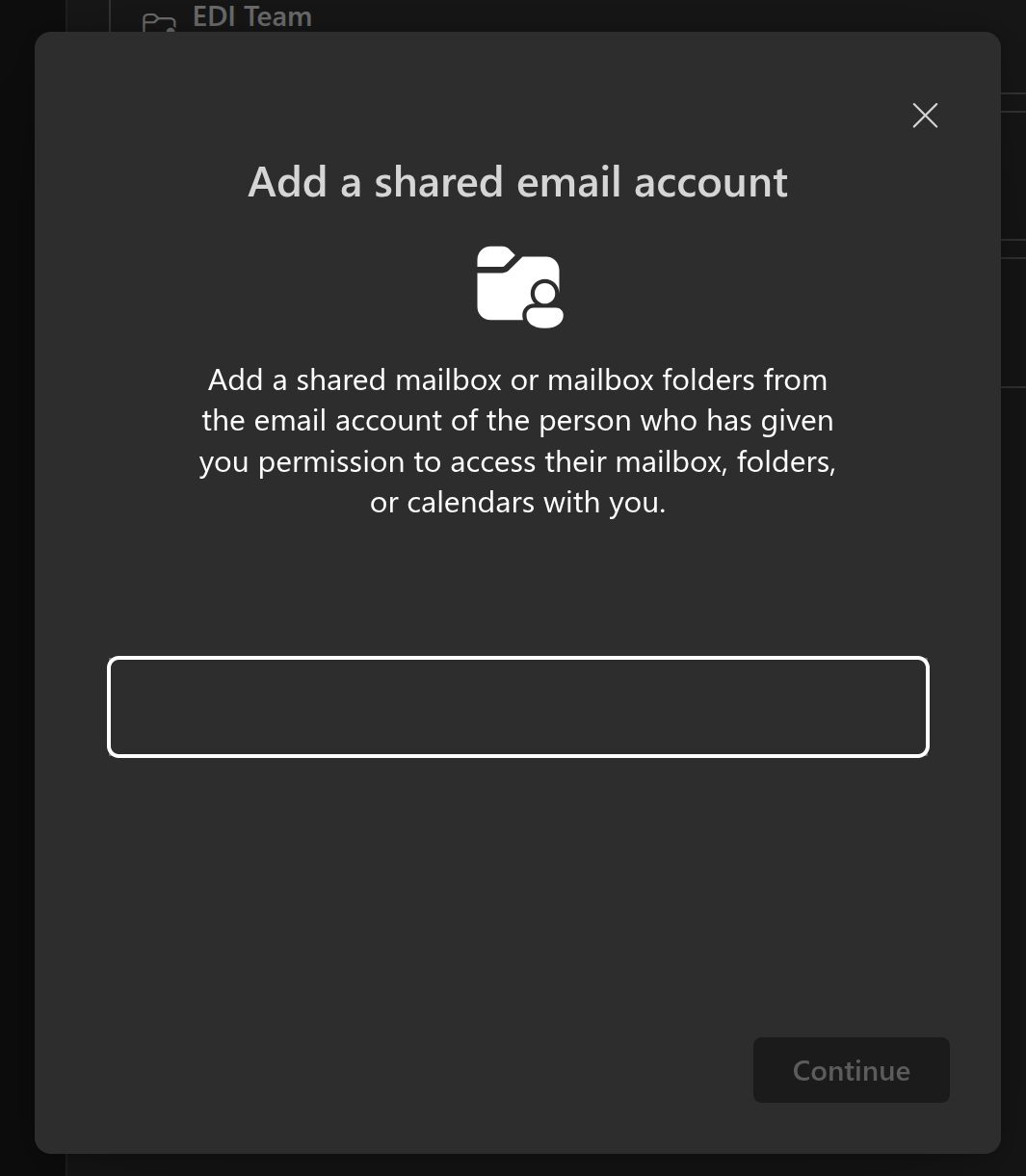
- In the dropdown, select the mailbox and click Continue.
- You can now access your shared mailbox from your list of inboxes and folders within Outlook.
Outlook Desktop
The Outlook desktop app has similar steps as the above.
Outlook Mobile
- Click your icon in the top-left.
- Click the + button below your user icon.
- Tap Add a shared mailbox
- Type in the email address.
- Click Continue.
- It will now show up as a mailbox below your main user icon.